
How to Choose Invoice Automation: 5 Questions to Ask
Alok Mani · · 13 min read · BFSI
Share: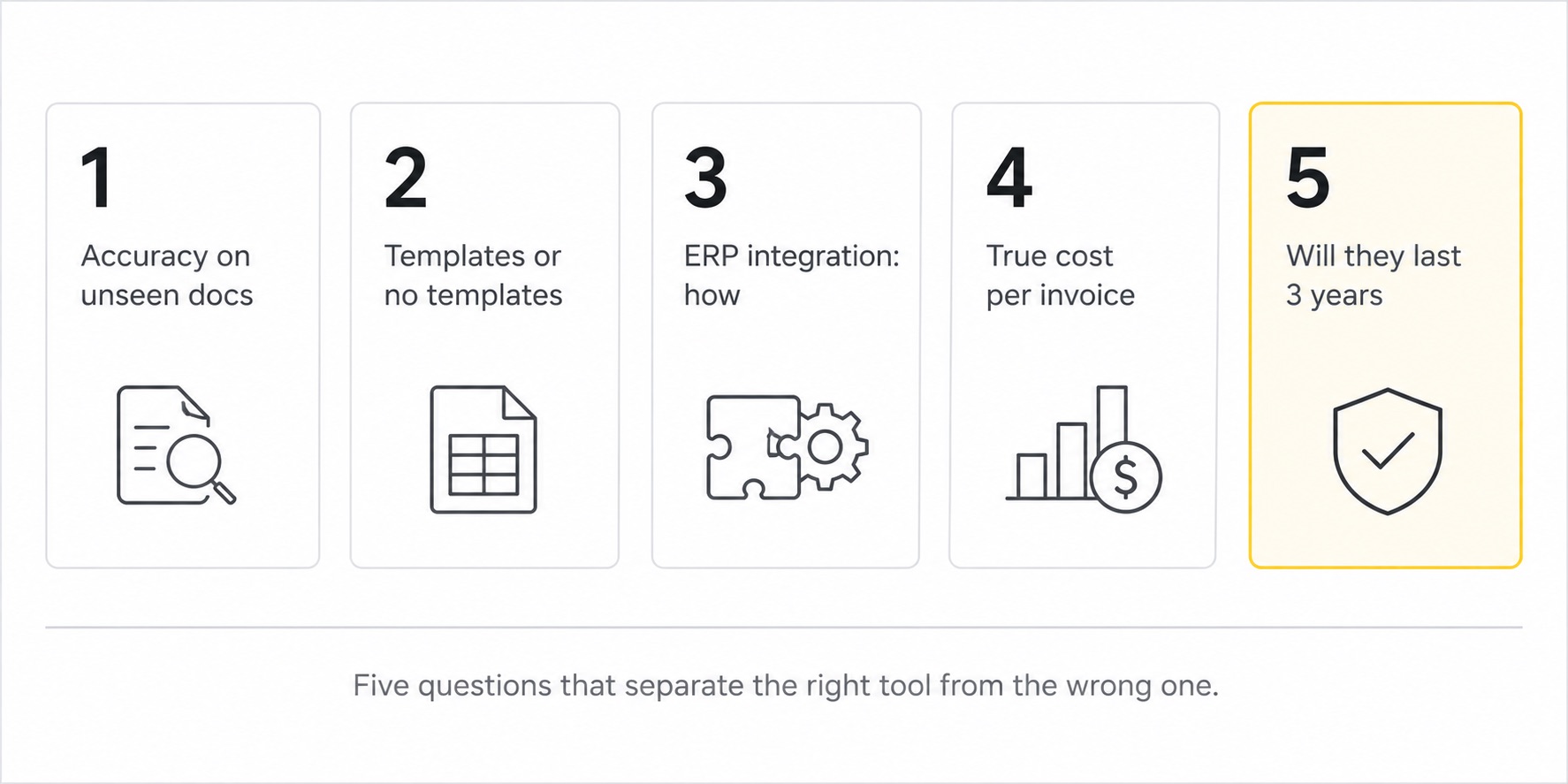
Every CFO who has bought invoice automation software in the last five years has the same story.
The demo was beautiful. The pricing was reasonable. The sales rep was confident. Six months in, the team is still keying in invoices because the tool only works on the three vendors they showed in the demo. The IT team is maintaining templates. The OCR accuracy claim on the proposal turned out to be measured on a clean test dataset, not real invoices. The "integration" with the ERP is a daily CSV export that someone uploads manually.
The software is technically working. The AP function is technically automated. The cost per invoice has barely moved.
This is the most expensive mistake in enterprise finance technology. And it happens because finance teams ask the wrong questions when they evaluate vendors.
Here are the five questions that actually matter, what good answers look like, and what every vendor will try to avoid telling you.
Question 1: What is your accuracy on documents you have never seen before?
This is the single most important question and almost nobody asks it in a vendor demo.
Most invoice automation vendors will quote accuracy numbers that sound impressive. 95 percent, 97 percent, sometimes 99. The number is usually true. The problem is what it is measured on.
If the vendor trained their model on Vendor A's invoice format and is now showing you Vendor A's invoice, the accuracy will be high. This tells you nothing about how the system will perform on the 200 vendors in your supplier base that the vendor has never seen.
The right test is this. Send the vendor 20 of your real invoices, including some non-standard formats, before the demo. Ask them not to tune anything specifically for these documents. Then ask them to run extraction and share the field-level accuracy data.
Good answers look like:
- "On invoices we have never seen, our production clients see 92 to 96 percent field-level accuracy across all standard fields."
- "Here is a confusion matrix from our actual production environment showing accuracy by field type."
- "We can show you sample outputs on your invoices within 48 hours, no template tuning."
Bad answers look like:
- "We achieve 99 percent accuracy across all document types." (Without specifying conditions.)
- "Once we onboard your vendors, accuracy will be very high." (This is template-based dressed up as AI.)
- "Let us schedule a custom proof of concept." (Two months of delays, then a tuned demo.)
The accuracy on documents the system has not seen before is the only number that predicts production performance. Everything else is marketing.
If the vendor cannot tell you their accuracy on documents they have never seen, you have your answer.
Question 2: Do you need templates, or does the system work on any invoice format on day one?
This question separates AI-Powered IDP from template-based OCR with marketing makeup.
Template-based systems require a setup per vendor format. Sometimes this is called "training the system on your vendors." Sometimes it is called "configuring extraction rules." The mechanics are the same. Each vendor format needs a one-time setup, and any format change at the vendor breaks the configuration.
This works fine if you have 10 stable vendors. It breaks at 100. It is a disaster at 500.
True AI-Powered IDP handles any invoice format on day one because the model has learned to recognise invoices as a document category, not specific layouts. A new vendor, a format change, a redesigned invoice, all of these are handled without template work.
Good answers look like:
- "Our system handles any invoice format day one. We do not maintain templates."
- "You can upload an invoice from a vendor we have never seen and get structured output immediately."
- "Our model improves from corrections, so accuracy on your specific vendor mix increases over time, but there is no template setup."
Bad answers look like:
- "We will train the model on your vendor base during onboarding." (This is template-based OCR.)
- "Setup takes 4 to 8 weeks per vendor cluster." (Definitely template-based.)
- "Accuracy improves significantly after the initial learning period." (Translation: it does not work yet.)
Question 3: How do you integrate with our ERP?
Integration is where invoice automation projects most often quietly fail. The extraction works. The ERP works. The link between them is broken or fragile, and the team ends up running a hybrid where someone exports CSVs from the automation tool and imports them into the ERP every day.
This is not integration. This is automated data entry.
The right integration is API-based, bidirectional, and handles edge cases like line-item GL coding, multi-currency invoices, and PO matching without manual intervention.
Good answers look like:
- "We have native API connectors for Tally, Oracle, SAP, and Zoho. The integration is bidirectional and includes line-item posting."
- "Implementation takes 4 to 8 weeks for a standard ERP integration."
- "The integration handles PO matching, GL coding rules, and exception routing without manual intervention."
- "Here is the API documentation. You can review it before signing."
Bad answers look like:
- "We export structured CSVs that you can upload into your ERP." (This is not integration.)
- "Custom integration is available as a separate engagement." (Translation: the price you saw is not the price you will pay.)
- "Our partners handle ERP integration." (You will be managing two vendors.)
- "We support all major ERPs." (Without specifics, this means very little.)
Ask to see a working integration in production. Ask for a reference client using your ERP. Ask to review the API documentation. If any of these requests are met with resistance, the integration story is weaker than the marketing suggests.
Question 4: What is the true cost per invoice, including human review?
Pricing in invoice automation is full of theatrics. Vendors quote per invoice, per page, per workflow, per user, per month. Some quote a low headline number that excludes the cost of the human review the system requires.
The true cost per invoice is everything it costs your organisation to process one invoice end to end. Software fees, internal labour for exception handling, integration support, change management, and the opportunity cost of cycle time.
Good vendors will help you calculate this honestly. Bad vendors will dodge the question.
Specifically ask:
- "What percentage of invoices in your production deployments need human review or correction?"
- "How much time per invoice does that human review take on average?"
- "What is the all-in cost per invoice, including the labour cost of exception handling, for your typical client?"
The honest answer is a range. Something like "8 to 15 percent of invoices need human review, averaging 90 seconds per review, putting all-in cost at 40 to 80 rupees per invoice for a typical Indian enterprise."
If a vendor cannot or will not give you these numbers, the marketing accuracy claim is hiding a human review queue that you will pay for after you sign.
Question 5: Will you be around in three years to support what you are selling me?
This question is uncomfortable to ask and essential to answer.
The invoice automation space has hundreds of vendors. Many are venture-funded with unclear paths to profitability. Some will pivot, get acquired, or shut down. Your three-year contract is worth nothing if the company behind it changes direction.
The questions that surface this risk:
- "How long has the company been in the invoice automation space specifically?"
- "How many production clients do you have in our industry and our size category?"
- "What is your customer retention rate over 3 years?"
- "How is the business funded? Bootstrap, profitable, venture capital?"
- "What does the support model look like? Dedicated team, ticket queue, partner network?"
Bootstrap or profitable companies in this space have different incentives. They cannot afford to lose clients because they do not have venture capital subsidising the loss. They will fight harder to keep your business and to ship features you actually need.
Venture-funded companies move faster on new features but are also more likely to pivot or change pricing dramatically. Neither is automatically better. Knowing which you are buying matters.
The questions vendors will try to redirect
If a vendor consistently dodges any of the five questions above, that is the signal. Not the slick demo, not the impressive logos, not the discount they offer to close before quarter end. The signal is in what they will not answer specifically.
Common dodge patterns to watch for:
- Pivoting from accuracy questions to "let us schedule a custom POC"
- Refusing to share field-level production accuracy data
- Quoting low cost per invoice while excluding human review labour
- Promising integration without showing API documentation
- Offering large discounts to bypass the technical evaluation
- Hiding behind "competitive information" when asked about retention rates
The best vendors welcome these questions because they have the answers ready. The worst ones will treat the questions themselves as a hostile act.
That tells you everything.
How we answer these five questions for DocXtract
Since we built DocXtract at RPATech, here are our straight answers to the questions we expect prospects to ask.
Accuracy on unseen documents. Our production clients see 95 to 98 percent field-level accuracy on Indian invoice formats. We share the confusion matrix and the field-by-field breakdown for any prospect that asks.
Templates. No templates. DocXtract handles any invoice format on day one. Indian and international, scanned and digital, standard and non-standard.
ERP integration. API-first. Native connectors for Tally, Oracle, SAP, and Zoho. Standard JSON endpoints for custom ERPs. Implementation typically takes 4 to 6 weeks for a standard ERP.
True cost per invoice. Production all-in cost lands at 25 to 80 INR per invoice for most Indian enterprise clients, including the cost of human exception handling at 8 to 12 percent of invoice volume.
Will we be around in three years. RPATech has been profitable and bootstrapped since 2016. We have BFSI, healthcare, and manufacturing clients running DocXtract in production for over two years. We have no venture pressure to pivot or change pricing dramatically.
If you want the longer story on why we built DocXtract and how the platform evolved, the build story is here. We also wrote a detailed comparison of AI versus OCR for invoice extraction if you want the deeper technical view.
What this looks like in practice
The evaluation framework above is not theoretical. Here is what a thorough vendor selection process actually looks like for a mid-size Indian enterprise.
- Week 1. Send 20 real invoices to 4-5 shortlisted vendors. Ask for extraction outputs without any template setup. Collect the results.
- Week 2. Compare extraction accuracy field by field. Eliminate vendors below 90 percent on standard fields.
- Week 3. Ask the remaining 2-3 vendors the five questions above. Score the answers, not the smoothness of the delivery.
- Week 4. Reference calls with 2-3 production clients of each remaining vendor. Specifically ask about pain points, support quality, and what they would do differently.
- Week 5-6. Pilot the top choice on 500 real invoices. Measure accuracy, integration, exception rate, and cycle time.
- Week 7-8. Final commercial negotiation with full information.
This is more work than most finance teams do for AP automation evaluations. It is also significantly less work than fixing the wrong choice 18 months later.
The cost of getting this wrong
The wrong invoice automation tool does not just underperform. It quietly drains the AP function for years. The team adapts to working around its limitations. The IT team builds patches. The CFO accepts a cost per invoice that is two to four times what it should be. Everyone agrees that automation has been done.
The right tool, chosen with the right questions, transforms the AP function in months. Cost per invoice drops by 70 to 90 percent. Cycle time compresses from days to hours. The AP team shifts from data entry to financial controls. Month-end close speeds up. Vendor relationships strengthen.
The difference between these two outcomes is not the budget. It is the rigour of the evaluation.
Five questions. Honest answers. The right tool. That is the framework.
Everything else is marketing.
FAQ
How do I choose the right invoice process automation platform?
Focus on five questions. What is the accuracy on documents the vendor has never seen before? Does the tool need templates or does it work on any format day one? How does it integrate with your ERP, by API or by CSV export? What is the true cost per invoice including human review? Will the vendor be around in three years to support what they sold you? Most platforms fail one or more of these and the failure shows up only at scale.
What is the best invoice processing software for Indian enterprises?
There is no universal best, but the right shortlist for Indian enterprises filters on three things. Native handling of Indian invoice formats including GST structure, HSN codes, and IRN compliance. API-first integration with Tally, Oracle, SAP, and other common ERPs. AI-Powered IDP rather than template-based OCR. Anything that does not check these three boxes will leak cost as your business scales.
Should I buy OCR or AI-Powered IDP for invoice automation?
For volumes above 500 invoices a month with more than 20 vendor formats, AI-Powered IDP is the only viable option. OCR plus templates works for stable, low-variance environments and falls apart in everything else. The accuracy gap on real production documents is 75-85 percent for OCR versus 95-98 percent for AI-Powered IDP, which translates to needing three times the manual review team for OCR.
What questions should I ask an invoice automation vendor in a demo?
Ask them to run extraction on three of your real invoices that they have never seen, including one in a non-standard format. Ask for the production accuracy data on their existing clients, not test datasets. Ask how the system integrates with your specific ERP, including handling line-item GL coding. Ask what their exception handling workflow looks like and what percentage of invoices need human review. Ask for client references in your industry that you can call.
How long does invoice automation implementation take?
For API-first AI-Powered IDP platforms like DocXtract, integration with an existing ERP takes 4 to 8 weeks for a mid-size enterprise. The implementation replaces only the document extraction and validation layer. Your approval workflows, payment runs, and ERP configuration do not change. Anything that quotes 6 plus months is either over-scoping the project or includes ERP changes that should be separate.